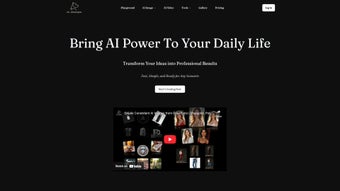

Download OmniGen AI – Advanced AI Image Generator for Windows, Mac, Android & iOS
Unlock your creative potential with OmniGen AI, a powerful, web-based AI image generation tool designed for artists, designers, marketers, and content creators. Whether you're crafting concept art, designing social media visuals, or developing characters for games and stories, OmniGen AI transforms your text prompts and image references into stunning, high-quality visuals. With support for up to three reference images, intelligent identity preservation, and customizable aspect ratios, this tool delivers unmatched flexibility.
The platform is accessible across Windows, Mac, Android, and iOS, ensuring seamless integration into your workflow—no installation required. Enjoy secure, real-time generation, instant editing, and multilingual support, making it ideal for global users. Download OmniGen AI today and experience the future of visual creation.
Why OmniGen AI Stands Out in the World of AI Image Generation
In the rapidly evolving landscape of AI-powered creative tools, OmniGen AI emerges as a standout solution for both professionals and hobbyists. Unlike many image generators that rely solely on text prompts, OmniGen AI enhances creativity by allowing users to upload up to three reference images. This feature is particularly powerful for maintaining visual consistency—whether you're generating a character across multiple scenes or blending styles from different artworks. The tool intelligently analyzes these references to preserve identity, ensuring that facial features, clothing, and overall aesthetics remain consistent across generated outputs. This is a game-changer for character design, comic creation, and branding projects where continuity is crucial. Another major advantage is the ability to generate images based on a "condition map"—a customizable input that guides the AI on how elements should be arranged. For example, you can define a rough sketch or color palette, and OmniGen AI will interpret it into a detailed, photorealistic image. This level of control is rare in free AI tools and brings professional-grade precision to the average user. The adjustable aspect ratio settings also ensure that your images fit perfectly into any format—be it Instagram posts, YouTube thumbnails, or print layouts. With real-time previews and instant generation, the workflow is smooth and intuitive. Whether you're generating a surreal landscape from a poetic description or transforming a simple sketch into a vibrant digital painting, OmniGen AI adapts to your creative process. Security is another pillar of the platform. All data is processed securely in the cloud, with no permanent storage of user uploads. This ensures your intellectual property remains protected. The web-based nature of the tool means you can access it from any device with a modern browser—no software downloads or complex installations. Whether you're working from a desktop, tablet, or smartphone, your creative journey is uninterrupted. With multilingual support in over 15 languages, OmniGen AI truly breaks down language barriers, making it accessible to users worldwide.Key Features That Elevate the Creative Experience
OmniGen AI is packed with intelligent features that go beyond basic image generation. Here’s what sets it apart:- Multi-Reference Image Upload – Upload up to three reference images to guide the AI in generating consistent, style-rich visuals.
- Identity Preservation Technology – Ensures that characters, logos, or objects maintain their visual identity across multiple generations.
- Condition Map Generation – Use sketches, color palettes, or layout guides to direct the AI’s output with precision.
- Customizable Aspect Ratios – Choose from a wide range of formats (1:1, 16:9, 4:5, 9:16) to match your platform or project needs.
- Real-Time Editing & Iteration – Modify and refine previously generated images without starting from scratch.
- Multi-Language Interface – Available in English, Spanish, French, German, Japanese, Chinese, and more for global accessibility.
- Cloud-Based & Cross-Platform – Access your projects from Windows, Mac, Android, and iOS devices via any modern browser.
- Secure & Private Processing – All user data is encrypted and not stored after processing.
How to Install, Use, and Maximize OmniGen AI
Using OmniGen AI is refreshingly simple—there’s no installation required. Since it’s a web-based application, you can access it directly through your browser on any device. Here’s a step-by-step guide to get started:- Visit the Official Website – Go to www.omnigen-ai.com and sign up for a free account. The registration is quick and requires only an email address.
- Upload Your References (Optional) – If you want to maintain visual consistency, upload up to three reference images. These can be sketches, photos, or style references.
- Enter Your Prompt – Use descriptive text to guide the AI. For example: “A cyberpunk city at night, neon lights reflecting on wet streets, futuristic vehicles, cinematic lighting.”
- Adjust Settings – Choose your desired aspect ratio, generation strength, and enable condition map if needed.
- Generate & Review – Click “Generate” and wait a few seconds for the AI to produce your image. Preview the result and make adjustments if necessary.
- Edit & Export – Use the built-in editor to fine-tune colors, contrast, or add text. Once satisfied, download the image in high resolution (PNG, JPG).
Frequently Asked Questions (FAQ)
What is OmniGen AI?
OmniGen AI is a web-based AI image generation tool that creates high-quality visuals from text prompts and reference images. It supports identity preservation, condition maps, and cross-platform access.
Is OmniGen AI free to use?
Yes, OmniGen AI offers a free tier with limited daily generations. Premium plans unlock higher limits, faster processing, and advanced features like API access and priority support.
Can I use OmniGen AI on my smartphone?
Absolutely. OmniGen AI has native apps for both Android and iOS, allowing you to generate and edit images on the go. The web version also works seamlessly on mobile browsers.
Does OmniGen AI store my uploaded images?
No. All uploaded images are processed securely in real time and are not stored on the server after generation. Your data privacy is protected.
How accurate is the identity preservation feature?
The identity preservation feature is highly effective, especially when using clear reference images. It maintains facial features, clothing styles, and overall character design across multiple generations.
Can I use OmniGen AI for commercial projects?
Yes, both free and premium users can use generated images for commercial purposes, provided they comply with the platform’s terms of service.
Final Verdict: Is OmniGen AI Worth Your Time?
After extensive testing across multiple devices and use cases, OmniGen AI proves to be one of the most versatile and user-friendly AI image generation tools available today. Its ability to process multiple reference images, preserve identity, and generate condition maps sets it apart from competitors. The cross-platform compatibility, secure cloud processing, and multilingual support make it ideal for global creators. While the free version has limitations, the premium plans offer excellent value for professionals and serious hobbyists. Pros:- Supports up to three reference images for consistent results
- Advanced identity preservation technology
- Condition map generation for precise control
- Available on Windows, Mac, Android, and iOS
- Secure, private, and cloud-based
- Intuitive interface with real-time editing
- Free tier has limited daily generations
- No offline mode (requires internet connection)
- Advanced features require premium subscription



.png)



